
Easily create query, insert update, upsert or delete bulk backup jobs from any object. Scheduled jobs or run them once. Only query jobs can be scheduled. Possibility to choose a connection provider and upload CSV files to AWS S3, Azure Blobs or Google Cloud Storage or download files directly from the app
The view will be automatically updated with the information from Salesforce every few minutes
In the case of error there is a small error triangle next to the status message to show the error from Salesforce

Query job
Create bulk backup job and select object and fields
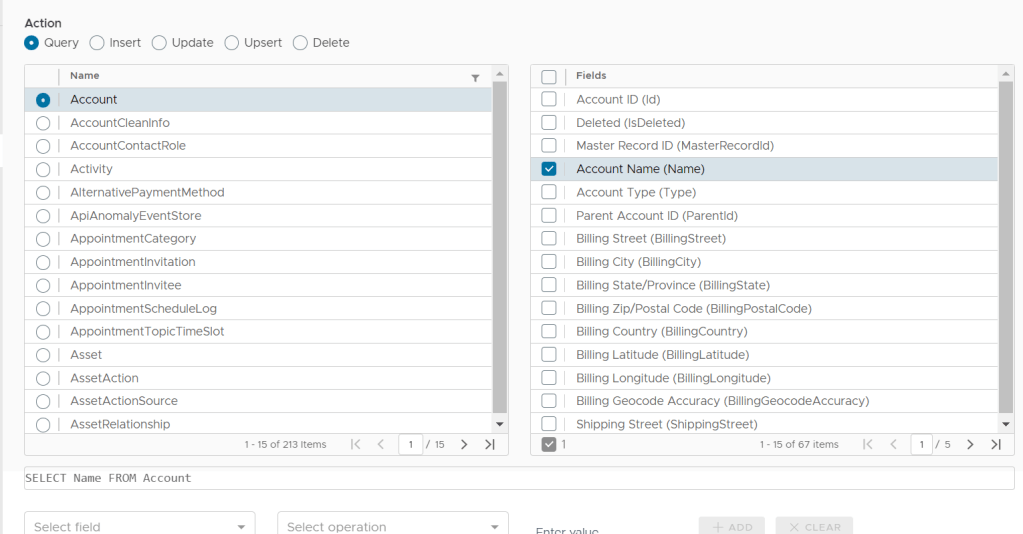

Choose if you want to upload CSV to cloud, see connection providers
Possible to set specific criteria for filtering query
Choose if job is run once or scheduled
Scheduled query jobs
Scheduled query jobs are currently run once every 24h but it is possible to run them manually from the app anytime. The latest last modified date of the backed up records will be stored and the next time the job is run only the records that are newer will be backed up

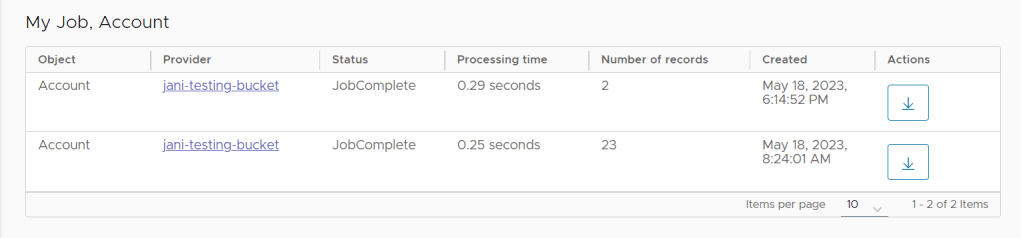
By clicking on the History button you can view all the backup jobs and by clicking provider link you can access the files in the connection provider
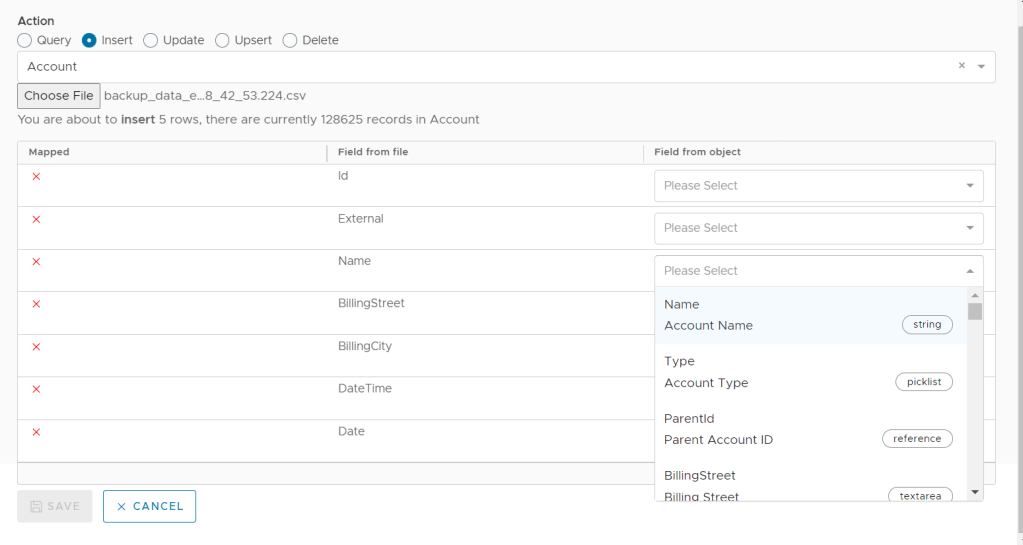
Insert, Update, Upsert and Delete (Ingest job)
Select object to target for the operation
for Insert jobs do not select the Id
for Update and Deletd jobs Id is mandatory
for Upsert jobs select a external id field for which to determine whether record is updated or inserted
Note! If the uploaded CSV file is very large it will be automatically split into multiple batches because the max size of one ingest bulk job is 100mb
Results for bulk jobs
Click Info button on row to see results of bulk job, either Failed, Unprocessed or Successful (only enabled when job is completed and job is either insert, update, upsert or delete)
For query jobs the CSV can be downloaded locally by clicking the Download button

